Every release to the DirectoryLaunch boilerplate, newest first. Lifetime updates are included with every license.
Submitting or editing a listing has been broken since 3.0.0 — take this
Fixed
The 3.0.0 auth sweep deleted 800 lines from inside POST /api/projects and ran past the end of the handler, taking PUT with it. Create could not insert and edit 404'd.
The create endpoint was left holding the update handler's body — it demanded a projectId and never inserted anything — and the update handler no longer existed. Both are restored, with the auth change that commit intended actually applied to them.
Details
Local business listings could not be submitted at all, even before that: the API required website_url and plan, neither of which the localBusiness submit flow asks for. The required set is vertical-aware now and the free plan is stamped server-side.
Editing a local listing silently destroyed its opening hours. The edit form did not hydrate phone, business_type, hours, usps or google_place_id, and the hours grid writes its whole array on first interaction — so opening a saved listing and touching anything replaced the real hours with Mon–Fri 09:00–17:00.
Migration 0016_website_url_optional makes apps.website_url nullable so a business without a site can be listed; duplicate-website detection is skipped only when there is no URL to compare. Required for the localBusiness vertical — the API writes null now and an unmigrated database rejects it.
A second homepage hero, and a split map + list catalogue
New
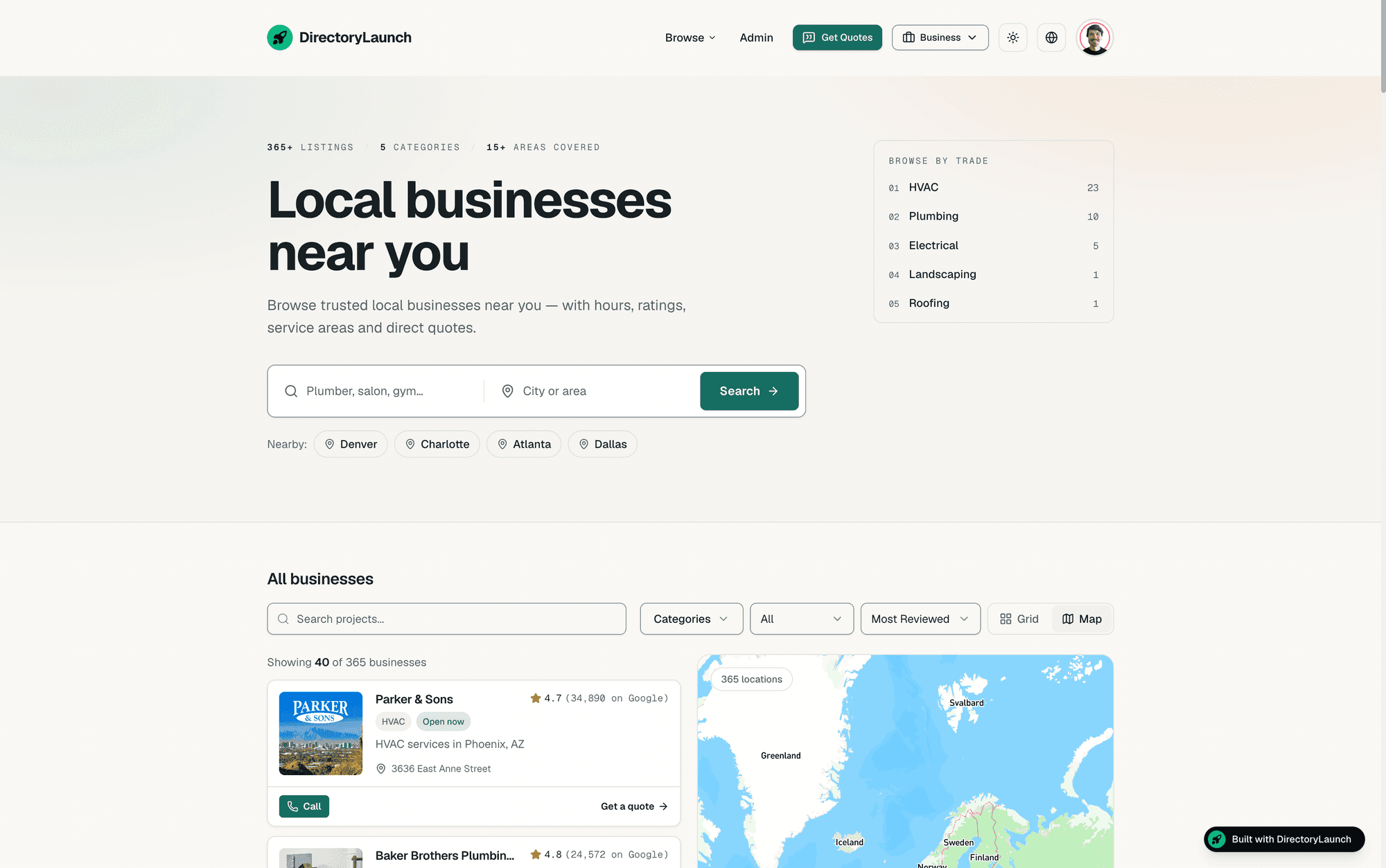
An editorial index masthead whose counts and trade list come from the catalogue itself, chosen in Design → Layout — and in the local vertical a Map view that puts the list beside the map.
classic is the existing centred stack, unchanged and still the default outside localBusiness. index reads like a masthead: listing, category and area counts, a search that names the trade and the city, and a browse-by-trade index that links straight to category pages.
Details
Composition and background are separate settings, so every layout × style pair is valid. Nothing about the other verticals' homepages moves; hero and owner-band copy live in marketingConfig.homepage, a new key inherited from the defaults if you do not set it.
In the localBusiness vertical the catalogue has two views, Grid and Map — Map is the split list + map, with Call and Get a quote on every row. The map-only tab is gone for this vertical; other verticals keep Grid and the globe, and the fullscreen globe is still reachable from the map.
The homepage shows a business owner how the directory earns — an owner band with list / claim / promote, priced from your advertising and claims config, and a demo-only revenue panel for the person evaluating the template.
A navigation progress bar driven by Next's onRouterTransitionStart, and /promote now uses the same width, header and card as /submit.
Category pages rank for the query, not the label
New
/categories/[slug] is a real landing page now: a query-shaped title and H1 (“Electrical services near you”), a live-count meta description, BreadcrumbList + ItemList JSON-LD, and the active vertical's card.
Details
The homepage category tiles and the hero's trade index link to these pages instead of setting a filter on the homepage — so the URL a visitor lands on is the one a search engine can rank.
Wording comes from directoryConfig.categoryPage, a new key inherited from the defaults if your config does not set it. The demo's copy is worded the way people search.
Theme presets have structure, not just hue
Improved
Each of the 14 presets now carries a surface ramp, a per-mode shadow ramp and card chrome, gated on WCAG contrast — 50 failing pairs are now 0. One card shell and one grid definition replace seven copies.
Details
pnpm check:themes checks 14 presets × 2 modes × 12 colour pairs against WCAG contrast. /theme-lab renders every preset at once so you can compare them on real cards before committing.
The same grid class string lived in seven files and each vertical re-implemented the card chrome; both come from CatalogCard / CatalogGrid now, driven entirely by theme tokens — so a theme change reaches every card.
Hard offset shadows keep their colour: --shadow-offset no longer derives from the now-tinted --shadow-color but from --shadow-offset-color (black by default), so the ~30 call sites converted in 3.0.0 render exactly as before. The 2px variant that sweep missed in 15 places is shadow-offset-sm.
Fonts are self-hosted for the default theme and fetched per-theme otherwise, instead of requesting all fifteen Google families on every page.
Imported businesses no longer wear a “Free” chip
Fixed
The Places importer stamped every business pricing: 'Free' — the directory's pricing model, which the local-business card reads as a price level — and stored '' for a missing website, making every site-less listing a duplicate of every other one.
Details
pricing is left unset on import now. UPGRADING.md has the one-line cleanup for rows you already imported.
A business with no website is stored as null (migration 0016), so duplicate detection compares real URLs only. Cards and rows fall back to Google Maps for the link.
getOpenState() derives open / closed from opening hours — overnight shifts and the week wrap included — so a card can say Open now without a human keeping a flag current.
Globe markers you can click, Selects that show their label
Fixed
A round of interface defects — some of them old — closed in one release.
Details
Markers on the fullscreen globe could not be clicked. The idle spin called map.setCenter() every frame, which cancels any camera animation in flight and fired moveend — whose handler destroyed and rebuilt every marker ~60×/s, so nothing lived long enough to receive a click. The spin yields to animations now, and markers are reconciled by key.
Every `Select` showed its raw value instead of its label — most_reviewed in the catalogue sort, a listing UUID in the lead subscription box. Base UI needs an items map to render labels; the wrapper derives it from its children.
The pricing page and FAQ promised a dofollow backlink and a premium badge in the vertical where both are force-off; those bullets are conditional now, and the homepage duration reads from plans.config.ts instead of being typed twice (the copies had already drifted).
The Design → Map preview is the real map instead of a grey disc; the Leads tab explains what a lead is and what the subscription changes, with the inbox first; a combobox's “no results” slot no longer reserves 48px when there are results.
Seed a directory from Google Places
New
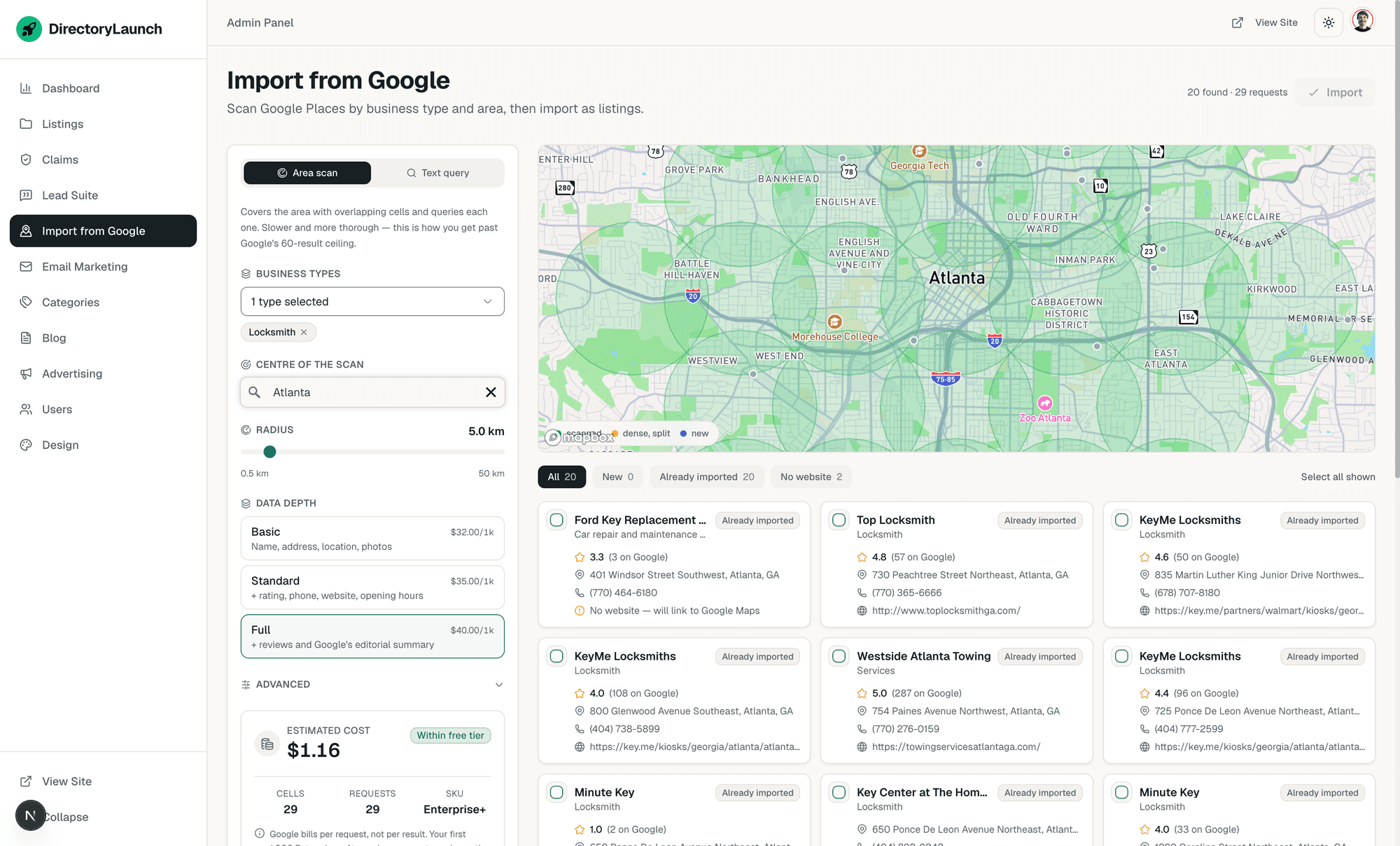
An admin screen that scans Google Places by business type and area and imports the results as unclaimed listings — with descriptions, photos, hours, coordinates, ratings and reviews.
The hardest part of launching a local directory is the first thousand listings. This imports them, and leaves them unclaimed — which is exactly what makes the claims flow worth having on a seeded site.
Details
Google caps a search at 20 results and never paginates past 60, so “every plumber in Chicago” is not a query anyone can make. The scan tiles your area into overlapping cells, queries each one, and splits any cell that comes back full — which is what turns a capped endpoint into full coverage.
Results are deduped by place id against your catalogue, so re-running a scan shows what is new rather than a wall of duplicates, and importing again refreshes a listing instead of cloning it.
A cost estimate that updates while you set the scan up. Google bills per request against your card and a thorough scan is hundreds of them, so the builder shows cells, requests and dollars live as you drag the radius or change the data depth, names the SKU you are on, and says when the run fits inside the monthly free tier.
/api/cron/places-refresh re-syncs imported listings oldest-first, daily — businesses move, change hours and close, and Google's terms cap how long Place content other than the id may be held. It skips listings someone has claimed and locked, and never touches names or descriptions you edited.
Off by default: set places: true in config/features.config.ts, add GOOGLE_PLACES_API_KEY, and run migration 0015. Scan and import rules live in config/places.config.ts.
A seeded catalogue reads as new, not broken
Improved
A directory imported from an external source has no ratings of its own on day one. Cards, sorting and the caches now cope with that instead of showing a wall of zeros.
Details
LocalBusinessCard falls back to google_rating while ratings_count is 0, labelled “on Google” as the attribution terms require. Your own visitors' ratings win the moment they exist.
Top Rated and Most Reviewed were sorting a seeded catalogue by a column of zeros. The localBusiness sorts read average_rating first and fall back to google_rating (and ratings_count → google_ratings_total); listings with neither sink, because the data layer orders NULLs last.
An import now refreshes the public site. The browse grid, the location facets and every category × city page read through caches tagged catalog, and nothing invalidated that tag — so after importing several hundred listings you would see the old counts for up to an hour and conclude the import had failed. The importer and the refresh cron purge the tag when they actually changed something.
Local business pages stopped reading like SaaS pages
Improved
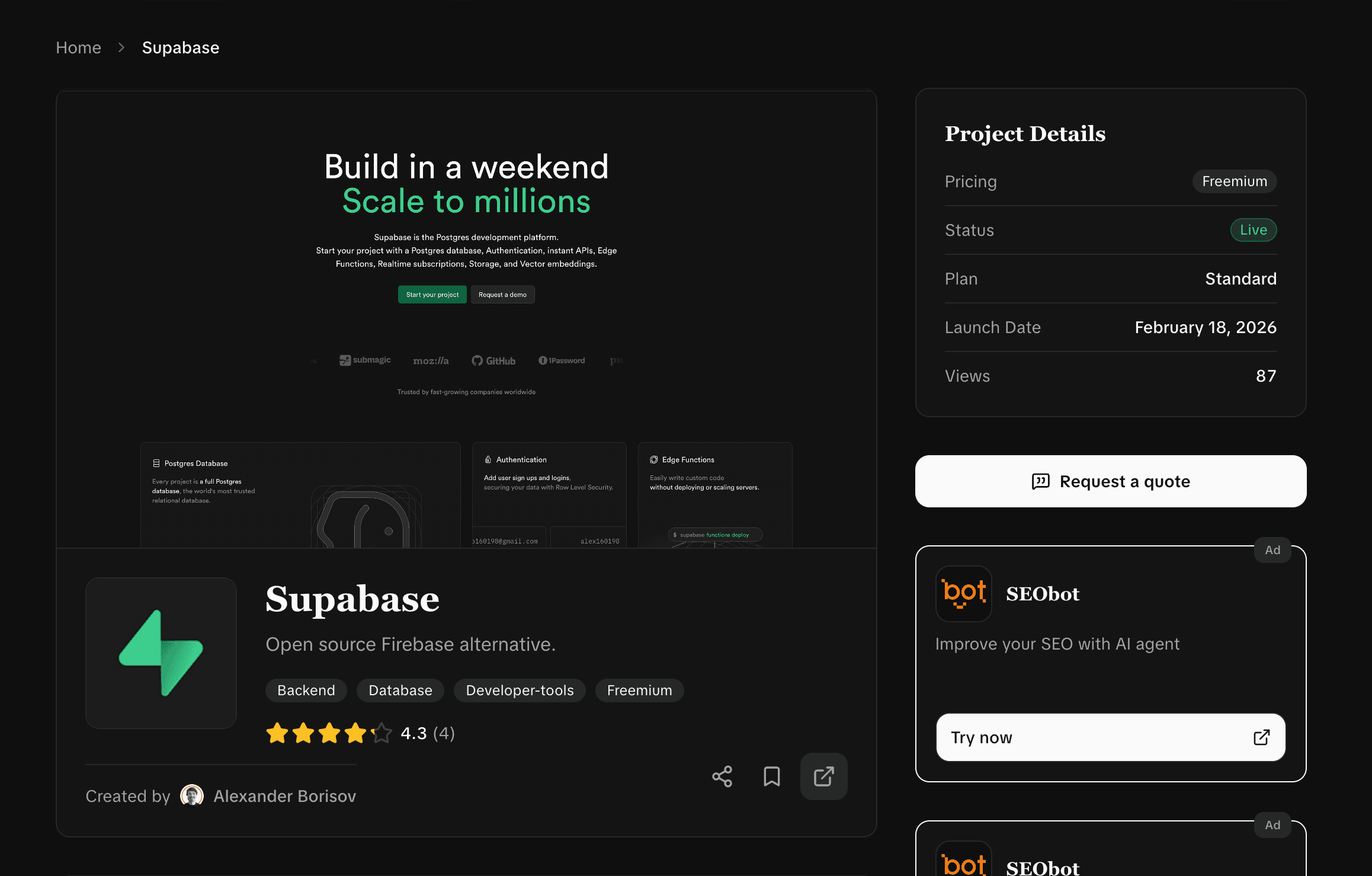
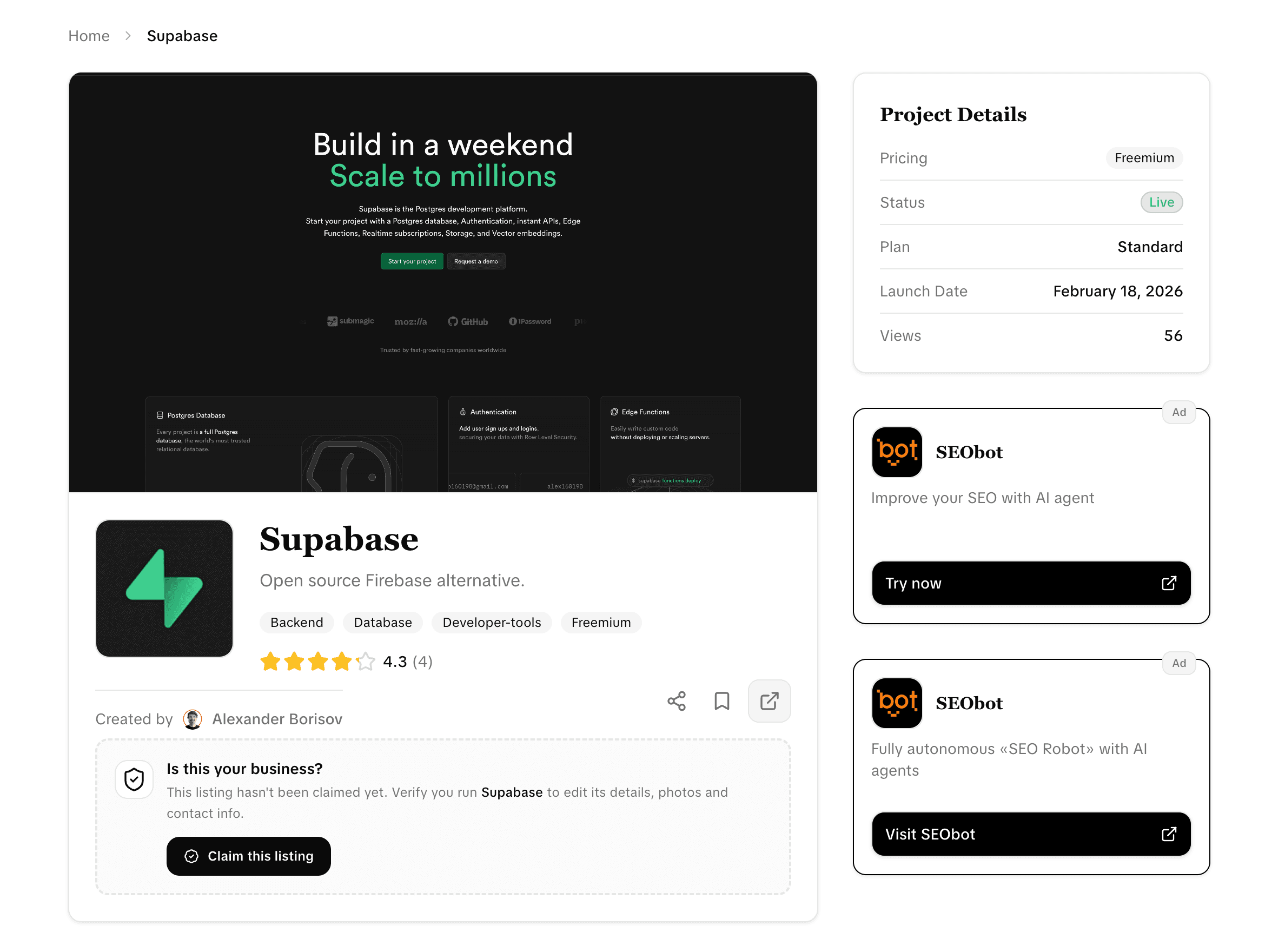
The detail page still showed “Project Details — Pricing, Plan, Launch Date, Views” on a plumber, the maps button opened a dropped pin, and an always-open week rendered as 00:00–23:59.
Details
The Project Details card is hidden in the localBusiness vertical, Related Projects renders through the catalogue's own ItemCard — so a related listing shows a phone number and a rating instead of “No ratings” and “Views 0” — and its heading follows the vertical's vocabulary.
The Google Maps button built a coordinate query even when the importer had stored the canonical place URL; it prefers that now. Opening hours say “Open 24 hours” instead of 00:00–23:59, which is how an always-open week is stored and roughly half of a home-services directory.
business_type no longer leaks raw values: roofing_contractor is humanised, and the card drops the chip when it merely restates the category (“Plumbing · Plumber”). The importer stops writing Google's primaryType into that field at all — it is your service-model axis (storefront, mobile, home service), and Google files most air-conditioning firms under general_contractor. The raw list stays in google_types.
The Types menu humanises its labels, drops Google's generic buckets and needs 3 listings before it shows a facet. Browse asks for category counts and hides categories with nothing behind them — the header was offering 80 categories where 6 had listings.
Card layout gives the name, the location and the rating a line each; the rating used to sit beside the name and truncate anything longer than a short trading name.
The opt-in modules could not be opted into
Fixed
defineFeatures({ store: true }) failed to compile. Every flag shipping false was typed false rather than boolean, so no customer could turn on store, jobs, ai, localSeo or places.
Details
featuresDefaults is declared as const so the resolved type picks up the key set — but that also froze every value to its literal type, and the config wrapper carried it through: a flag shipping false was typed places?: false.
The values are widened for the override type now. Nothing to do beyond merging; if you worked around it with a cast, you can drop that.
Uploads can go anywhere, not just Supabase
New
config/storage.config.ts picks the backend: Supabase as before, or S3 — which speaks the protocol against Cloudflare R2, Backblaze B2, Wasabi, MinIO or AWS.
Details
Credentials go in STORAGE_S3_* environment variables. Existing installs need no changes — supabase stays the default and behaves exactly as before.
The client gives up on a bucket that stops answering after a few seconds rather than holding the request open until the platform kills it, so a storage outage surfaces as a normal error instead of a timeout page.
Uploading a file does not make it readable — that is a bucket setting, and no single one works everywhere (R2 has no object ACLs; AWS rejects an upload that carries one). Miss it and uploads succeed while every image 403s, so UPGRADING.md now has the steps per provider plus a one-line check.
Images are compressed on the way in
New
A 32 MB photo from a phone is stored as roughly 1.4 MB — resized and re-encoded to WebP at a quality you set. Because it happens on upload, the small file is what every consumer gets.
Optimizing at render time only helps visitors who arrive through next/image. Optimizing on the way in helps browsers, feeds, scrapers and your storage bill alike.
Details
Maximum dimension, format and quality are all in config/storage.config.ts. Animated images are converted too, and kept as they were if the frames do not survive the encode. Set image.optimize to false to store originals byte-for-byte.
Size and type limits are config rather than code — maxFileSizeMb and allowedTypes in one place, read by the API and by every picker in the interface. The default cap moves from 1 MB to 8 MB, which is safe now that files shrink on arrival.
Uploads are refused when their dimensions would cost too much to decode. A 0.74 MB PNG can carry 256 megapixels, and on this pipeline that one file cost 240 MB of memory — four at once cost 895 MB, enough to exhaust a 1 GB function on 3 MB of upload traffic. Images are capped at 64 megapixels per frame and 128 across an animation (clear of a 48 MP phone camera), and no more than two decode at once: past the limit a 400 naming the dimensions, while saturated a 503 asking for a retry.
The limits the interface promises are the limits the server enforces
Fixed
The screenshot picker advertised “Max 2MB each” while the API enforced 1 MB, the editor offered GIF and the API refused it, and uploaded images were cached for an hour on one provider and a year on the other.
Details
A 1.5 MB screenshot passed the check in your browser and failed on submit; the submit and edit forms were capping uploads at 1 MB regardless of config. Every picker reads the same list as the API now.
GIF is accepted by default — the editor said so in its own error message while the route rejected it, so the upload failed after it had already started.
Uploaded images are cached for a year on both drivers. Supabase stored max-age=3600 while the new S3 driver used a year, so changing provider moved your egress bill by a factor of 24 silently. A year is correct for both: keys contain a UUID and are written with upsert: false, so the bytes behind a URL never change. If you have been overwriting objects in the bucket by hand, stop first — a CDN will now hold them far longer.
next.config.ts derives your own upload hosts from the environment (plus the Printful CDN for the store vertical), so turning on next/image optimization no longer breaks your own images. It stays off by default, with the trade-off written next to the switch.
RSS feeds for your blog and your newest listings
New
/feed.xml and /listings.xml, linked from every page so readers and feed apps find them on their own. Items carry a summary and a link, so the feed brings people to your site.
A directory publishes constantly and had no way for anyone to subscribe to it. Two feeds fix that — one for what you write, one for what gets listed.
Details
/feed.xml carries your blog posts and /listings.xml your newest entries. Both are advertised for autodiscovery from every page, so a reader app finds them from your homepage alone.
Items ship a summary and a link rather than the full article — the feed is a way in, not a copy of your site. The listings feed titles itself from your active vertical: a store advertises products, a job board advertises jobs.
The XML escaper behind them was hardened and shared with the sitemap, which fixes a real crash: a listing with a null short_description or a missing image threw instead of escaping to nothing, and a single control character pasted in from Word invalidated the whole document.
Every blog post told Google it was a duplicate of your homepage
Fixed
The root layout set one canonical URL for the whole site, and Next.js hands metadata a page doesn't define down from the parent — so every article shipped a canonical pointing at /.
A canonical tag pointing somewhere else is a request to be dropped from the index. The articles were always server-rendered and crawlable; they simply were not indexable.
Details
/blog, /blog?page=2 and every article were affected, along with seven more pages: promote, sponsor, categories, user profiles and both checkout pages. Each page sets its own canonical now and the root sets none — so any page you added yourself was affected, and the same change fixes it.
robots.txt also blocked /_next/, which is where Google's renderer fetches your CSS and JS. Text still indexed, but Google could not judge how your pages actually look.
The blog is legible to answer engines now
Improved
llms.txt listed your categories and listings and omitted the blog entirely. It is in there now, and the blog emits the structured data search engines expect.
Details
The blog joins categories and listings in /llms.txt — the file AI answer engines read to learn what your site covers.
Article pages emit breadcrumb markup matching the breadcrumb readers already see, and the blog index emits Blog markup listing its posts.
Paid claims could be approved without payment
Fixed
A claim sent to manual review could never reach Stripe, and approval never checked for payment — so approving one handed the listing over free. Ships with migration 0014.
This only affects you if you set claimsConfig.price above 0. A claim from an address that does not match the listing's domain goes to manual review, and that was the path with no way to pay.
Details
Approving a manual claim now sends the claimant to payment. Approve without payment waives the fee deliberately, and the waiver is recorded on the claim. Requires migration 0014_add_claim_payment_waived.
A resubmitted claim could also show the admin a “Domain email verified” badge it had not earned: resubmitting overwrote the open claim row, but only the domain-email path reset the verification fields. Someone who verified a work address and then resubmitted with a personal one carried the old verification date into manual review — and the green badge hid their written explanation.
Both are fixed, and the claimant's explanation now always shows on the review screen.
Your config files hold data now, not our code
Fixed
Ten config files carried business logic as well as your settings — and because they are protected on merge, a fix to any of it could never reach you. The code moved to lib/; the configs hold data.
A file the merge driver keeps is a file we can never fix. That is exactly right for your brand name and your prices, and exactly wrong for the function that decides how a product is bought.
Details
Among the helpers frozen in your copy: resolveCheckoutMode, which picks Stripe, Shopify or an external link at twelve call sites including every buy button; planSeesLeadContact, which decides whether an owner sees a lead's contact details or a masked one; and isFreemailDomain, which decides whether a claim verifies instantly or waits for review.
All of it lives in lib/ now. If you import any of these helpers, the path changed — that is the breaking part of the major bump, and UPGRADING.md lists every move.
Three dead helpers went with them (getSortFields, getSortValues, getConfiguredVertical), plus a second getFromAddress() in the email config that read like the live sender resolver and was never called.
Every protected config layers over upstream defaults
Improved
Layering reached four configs in 2.0.0. It now covers all of them — including the seven protected in 1.21.0, where any key we added between the two releases was simply absent from your copy.
Details
ai, claims, local-seo, map, quotes, store and payments were the urgent ones. platform, plans, pricing, directory, marketing, advertising, analytics, i18n and features follow.
Run `pnpm fix:configs --apply` after merging — it wraps every config for you, and now handles the two shapes it used to refuse (an export with no type annotation, and one ending } as const;). The build fails if a config is left unlayered.
Feature flags resolve through the same mergeConfig as everything else, so they answer the same way. Your values still win; only absent keys fall through to ours.
emailConfig.from actually sets the sender now
Fixed
The config invites you to fill in a From name and address; lib/email.ts never read it, so every transactional email went out as siteConfig.contact.email regardless.
Details
A silent no-op in a field the config asks you to set. It is consulted in production now — after RESEND_FROM_EMAIL and RESEND_PRODUCTION_FROM, ahead of the siteConfig fallback. Development still sends from Resend's sandbox address.
**If you have no RESEND_* sender variable set, your From address changes on merge.** The upstream default is siteConfig.contact.email now, so a fresh clone sends from exactly what it sent from before.
Two authorization holes closed
Fixed
PATCH /api/projects/[slug] had no authentication at all, and mandatory notification emails could be switched off from the browser console.
Details
The listing PATCH route carried a CUSTOMIZE placeholder — a hardcoded demo user nothing read — and wrote the request body straight into the row through the service-role client, status included. It requires a signed-in owner or an admin now, and non-admins cannot set status, submitted_by, is_featured, is_claimed or claim_locked.
The settings page enforced mandatory notification types client-side and wrote to users under RLS, so a console one-liner disabled the account-deletion and submission-decision emails. Enforced server-side now, through the new /api/user/notification-preferences.
The database sits behind one contract
New
types/database-adapter.ts states what the application asks of a database and config/database.config.ts selects the implementation — so replacing Supabase is a question with an answer.
“Can I use my own database?” used to mean reading every route. It now means implementing one documented interface.
Details
After this release supabase.auth survives in six files, all about signing in and out — docs/database-adapters.md walks through what a replacement actually involves.
lib/site-settings.ts and db.upsert() replace eleven call sites that reached past the data layer, and lib/auth/session.ts (currentUser(), requireUser()) replaces the twenty-one routes that each built their own client to ask who was calling.
Nine admin routes each carried their own copy of the admin auth guard; they share one now. The unused /api/upload route is removed — every upload in the template posts to /api/upload-supabase.
Writes that quietly did nothing
Fixed
$unset was accepted by db.updateOne and dropped on the floor, and db.deleteOne deleted every matching row.
Details
Cancelling a launch-week upgrade, two branches of the Stripe webhook and the link-type manager all believed they were clearing their pending columns. Nothing was cleared and nothing reported it. $unset sets the column to NULL now.
deleteOne deleted every row matching the filter, and deleteMany was an alias for it. Every call site filters on a unique key, so nothing was ever over-deleted — but the names have to mean what they say. Both are implemented separately now.
Every newsletter subscription wrote to analytics_events, a table that is not in the schema. It failed silently, without a log line. Removed.
Config files inherit from upstream instead of freezing
New
Every config is protected on merge, which on its own meant anything we added to one was silently withheld — it had already happened twice. Your values now layer over upstream defaults.
siteConfig.legal and siteConfig.poweredByBadge shipped in 1.18.0 and reached nobody who had cloned before it. This is the fix for that whole class of problem, and the reason for the major bump.
Details
Values you set still win; only absent keys fall through to ours. pnpm fix:configs wraps every config for you — one command after merging, described in UPGRADING.md.
The terms, privacy, cookie, FAQ and help copy is inherited rather than duplicated. Since 1.19 those words sat in your protected config, which froze them at the version you cloned — including 574 lines of example legal text the file itself warns has not been reviewed by a lawyer. They live in config/defaults/ now and your files ship empty: corrections reach you, and copying a document out of the defaults takes it over for good.
getFaqSchemaData and faqItemToPlainText moved to lib/faq.ts — they are code, and they were living in a file we can never update. If you import them, the path changed.
pnpm build no longer needs SEOBOT_API_KEY
Fixed
The SEObot client was constructed at module scope and its constructor throws on a missing key, so any build without one died while collecting page data — whatever the blog feature flag said.
Details
The key is optional and both call sites already fell back to an empty feed; only the constructor did not. It is lazy now.
If you build without the key, /blog serves your local posts alone.
One definition of which files are yours
Improved
The list of your files versus ours existed in seven places — .gitattributes, three scripts, the PR template and two docs — and they had drifted. ownership.json is the single source now.
Details
.gitattributes is generated from the manifest (pnpm gen:ownership), pnpm check:ownership fails CI when the two disagree, and every entry carries the reason it is where it is.
The drift was not theoretical: seven config files were not protected on merge at all — ai, autosubmit, claims, local-seo, map, quotes and store. From this release your versions of them survive an upgrade.
pnpm upgrade:pick was missing public/assets/** from its own copy of the list, so --apply could cherry-pick a commit that deletes your logos and describe it as a safe technical change.
pnpm upgrade:check now sorts the conflict forecast into three groups. Files that are yours but deliberately unprotected — app/(marketing)/**, app/globals.css, components/layout/** — are named as such, with the reason: they carry your design and our fixes together, so locking them to your version would strand you.
Terms, privacy, cookies and help are config now
Improved
Four long prose pages became 13-line renderers over config/legal.config.ts and config/help.config.ts — so once you rewrite that copy, an upgrade stops touching it.
Legal and help copy is the first thing every buyer rewrites and the last thing that should conflict during a merge. It lives in config now, protected by the merge driver, alongside the FAQ.
Details
The pages dropped from 249, 268, 277 and 86 lines to 13 each — they are renderers, and the words are yours. Content is paragraphs, subheadings and lists, rendered as semantic <p>, <h3> and <ul>, the same reasoning as the FAQ.
The shipped text no longer describes the seller's business — the terms used to say the platform was “inspired by Product Hunt and Uneed.best” and ran “weekly competitions and voting systems”. It describes a generic directory now.
It is still example text, not legal advice: rewrite it and have someone qualified read it before you go live. The operator named in the terms comes from siteConfig.legal.entity, and that section stays omitted while it is empty.
Submissions are stamped with the plan you configured
Fixed
The submit route carried its own copy of the plan matrix — so changing a price in plans.config.ts moved the pricing page and the FAQ while submissions kept being recorded at the old price.
Details
app/api/projects/route.ts held a fourth copy of the plan matrix — price, homepage duration, backlinks, badge, skip-queue — and it was the copy that writes to your database. It reads getPlan() from config/plans.config.ts now.
This closes the last gap in declaring each price once: the pricing page, the FAQ and the submission record finally agree.
max_slots is gone with it — weekly slot limits were the seller's own launch model, and nothing in the template consumed the value.
An /llms.txt for AI answer engines
New
A structured, always-current summary of your directory for the models that answer questions instead of linking — built from the same live data as your sitemap, and pointed at from robots.txt.
Where sitemap.xml enumerates URLs for a crawler, llms.txt gives a model a short, ordered map it can quote from. Your directory now serves one.
Details
/llms.txt states what the site is, lists every category with its live listing count, samples the catalogue (capped), and says where to submit.
It is generated from the same queries that build your sitemap, so it cannot drift from the catalogue the way a hand-written summary would.
robots.txt points at it, so an agent that reads your crawl instructions finds it without being told. Nothing to configure — it is live the moment you merge.
The FAQ moved into config — and its schema comes from the same words
Improved
Ten questions used to exist twice: plain strings for the FAQPage JSON-LD and JSX for the page. Both now render from config/faq.config.ts, so your structured data always matches what visitors read.
Details
Google requires FAQ structured data to match the visible content, and two hand-maintained copies were a drift waiting to happen. One config, two outputs — and the page dropped from 467 lines to 155.
Answers are prose plus optional bullets and labelled groups instead of free-form markup. The plan comparison used to be nested divs; semantic <p> and <ul> are what crawlers and answer engines actually extract.
config/faq.config.ts is yours, protected by the merge driver. If you wrote your own FAQ, keep your page through the merge and move the text into the config so future releases stop touching it.
The offset shadow, success toast and map marker follow your theme
Improved
A fixed black 0 4px 0 shadow appeared verbatim in 30 places and stayed black whichever of the fourteen themes you picked. It is a token now — as are the success toast and the map marker.
Details
shadow-[0_4px_0_rgba(0,0,0,1)] across 19 files became shadow-offset, backed by --shadow-offset in globals.css. The default reproduces the old literal exactly, so nothing moves until a theme overrides it.
The success toast was hard-coded #10b981/#059669 while the error toast beside it already used a token; it reads --success now. The map marker was a fixed red and follows --primary.
Your directory ships as yours, not ours
Fixed
The Terms named the template author's company as the operator of your site, the privacy and help pages carried a dead brand, and the partners grid listed six real companies — with live links — until you added sponsors of your own.
A default that is somebody else's identity is worse than an empty one: it is wrong the day you deploy, and it is easy to miss because it looks like finished content.
Details
The Terms of Service reads siteConfig.legal.entity and omits the Legal Entity section entirely when it is empty — a missing section is honest, a wrong one is not. “Last updated” comes from config instead of being frozen in the past.
The privacy policy and the help page read siteConfig.name. The partners fallback is empty, so a directory with no sponsors yet shows the Become a sponsor tile instead of six other people's logos.
The header ad banner and the sample promotion shipped as a live third-party ad, enabled — every new deployment advertised someone else's product for free. Both now ship empty and disabled, and the logos are deleted from public/assets/.
Outbound requests and demo sessions announced themselves with the template's own name and email; both derive from your config now. AdBanner also stopped passing an empty iconSrc to next/image, which threw.
New config: siteConfig.legal (entity, address, review date) and siteConfig.poweredByBadge — the “Built with DirectoryLaunch” badge is a decision now rather than a surprise, on by default.
Rehearse an upgrade before you commit to it
Improved
Merge a new release in a throwaway worktree to see exactly what conflicts, cherry-pick only the core half of a release, and boot the built app to prove it still runs.
“How bad is this going to be?” should not require creating a branch. Three new commands answer it before, during and after the merge.
Details
pnpm upgrade:try performs the merge in a disposable git worktree, prints the conflicts and the number of files affected, then throws the worktree away — --build also compiles the result. Nothing in your repository changes, not even your working tree.
pnpm upgrade:pick lists a release split into core and customer-facing commits, and with --apply cherry-picks only the core half. Take the API fix now, deal with the redesign later.
pnpm verify:smoke boots the built app and checks the main routes answer. pnpm build proves the code compiles; this proves the pages render.
The conflict forecast in pnpm upgrade:check now says a file may need you rather than will — a file both sides touched often still merges without a word. See Updating the codebase.
Feature flags added by a release now reach your project
Fixed
The merge driver that protects your config was also withholding every new flag we shipped — isEnabled('newThing') returned false forever, with no error and no conflict.
.gitattributes keeps your config/features.config.ts through an upstream merge. That protected your settings — and silently swallowed any flag introduced by a release, because your file simply never gained the key.
Details
Upstream values moved to config/defaults/features.defaults.ts — a core file, so it updates with every release — and lib/features.ts resolves your config over those defaults.
A flag you have never heard of falls back to our default; a flag you have set keeps your value. Nothing to do on your side — a config listing every key is still a valid set of overrides.
Rebrand transactional email from config
Improved
All 23 email templates now share one document shell whose colours come from emailConfig.theme — rebranding email is a config change, not a find-and-replace across a 2,000-line file.
Details
Every template repeated the same HTML document — head, wrapper table, header, footer. That shell now lives once in lib/email-layout.ts.
Its colours, logo and footer are read from emailConfig.theme in your config, which the merge driver keeps through an upgrade.
Every template still renders identical subject, text, links and images; only the chrome moved.
One price, declared once
Fixed
/pricing said $11.99, plans.config.ts said $15 and /faq said $19. All three now read from config — and the pricing page's content moved into a config file of your own.
Details
Prices on /pricing and /faq are read from config/plans.config.ts and config/advertising.config.ts instead of being typed out again per page. Check which figure is right for you — the pages now show whatever your config says.
The pricing cards moved into config/pricing.config.ts (yours, protected by the merge driver) and the page dropped from 156 lines to 58. If you rewrote the pricing page, keep your version and move your copy into the config — see What to customize.
Versioned releases and a one-command upgrade path
New
Merge a named, tested version instead of whatever happens to be on main — semver tags and a changelog, a merge driver that keeps your branding, a read-only pre-flight, and a migration ledger.
You own a copy of the boilerplate, so an update is a git merge. This release makes that merge predictable: you can see what is coming, keep what is yours, and know which migrations you still owe.
Details
CHANGELOG.md, semver git tags and GitHub Releases. You merge a tag like v1.15.0, never main, and every release states the migrations and env vars it needs.
pnpm setup:upstream wires the upstream remote, an ours merge driver that keeps your config/*.config.ts, messages/*.json and public/assets/** untouched through a merge, and git rerere so a conflict you resolve once stays resolved.
pnpm upgrade:check — a read-only pre-flight reporting the release you are on, what changed since, which migrations are pending, which env vars are new, and which of your customized files this release also touches.
pnpm db:status and a template_migrations ledger table, so you can finally tell which SQL migrations have been applied to your Supabase project. Ships with migration 0000_migrations_ledger.sql.
An /upgrade slash command for Claude Code that runs the whole update end to end, and CI on every pull request upstream. Full walkthrough in Updating the codebase.
August security audit hardening
Fixed
A full audit pass over the template: tighter server-side auth checks, claim and quote delivery made idempotent at a single choke point, and stricter row-level security policies.
Details
Authorization is re-checked on the server at every affected route rather than inferred from what the client sent.
Listing-claim and quote delivery each run through one idempotent choke point, so a replayed request cannot deliver twice.
Row-level security policies tightened across the affected tables. Ships with migration 0013_security_hardening.sql.
A patch release — no config keys, component APIs or responses changed, so it is safe to merge as-is.
Supabase's new API key names
Improved
NEXT_PUBLIC_SUPABASE_PUBLISHABLE_KEY and SUPABASE_SECRET_KEY are accepted everywhere, falling back to the legacy anon and service-role names.
Details
Both new names are read everywhere a Supabase client is constructed, with the legacy ANON_KEY / SERVICE_ROLE_KEY names as a fallback.
Existing deployments keep working with no change — the new env vars are optional.
A local-business directory vertical
New
A fourth format built for real-world businesses — phone, hours, business type and USPs — that switches claims, quotes, local SEO and maps on automatically from a single config flag.
Directory, store and jobs were all built for the web. This adds a format for businesses that exist on a street: HVAC pros, clinics, restaurants, tradespeople. Turn it on and the whole app reshapes around them.
Details
The new localBusiness vertical joins directory, store and jobs. Selecting it in platform.config.tsauto-enables the supporting stack — claims, quotes, localSeo and map — and force-disables SaaS-only modules, so one switch reconfigures the entire deployment.
Business-shaped data throughout: phone, business type, opening hours, USPs and Google Place ID, with a Types facet wired end to end (catalogue filter, /api/business-types, and the submit/edit forms). Ships with migration 0009.
A home and header reworked for the format — a hero search across category × type × city, a browse-by-category tile section, and a contact-forward business card (image/logo optional per admin display settings).
Owner actions group under a Business menu so Advertise no longer competes with Get Quotes, Pricing is hidden, and SaaS-only surfaces like the ad banner and partners section respect the vertical's feature gating.
Global quote requests, paid lead subscriptions & a Lead Suite
New
Visitors can request quotes from a standalone page without picking a business first, owners can subscribe to every matching lead in a category or city, and admins get a full Lead Suite to run it.
The quotes feature turned listings into leads. This turns leads into a marketplace: a front-door request page, a way for owners to pay for a steady stream of matching leads, and the tools to manage it all.
Details
A standalone /get-quotes page takes a multi-recipient request directly — the visitor describes the job and it fans out to matching businesses, no listing visit required.
A lead marketplace: owners subscribe to receive every matching lead in a category/city via a recurring Stripe subscription (dynamic price_data + webhook branch). resolveRecipients now folds active subscribers in alongside the top-ranked listings.
A new admin Lead Suite dashboard — KPIs, approve/delete, top cities — plus an owner subscribe box inside the leads inbox. Ships with migration 0010.
AI-enrich your import CSVs
New
Upload a CSV of businesses and have AI scrape each site, write a description and pull out USPs — then download an enriched CSV that's ready to import.
Details
A new admin AI Content tool enriches uploaded CSV rows: it scrapes each row's website for context, generates a description and a set of USPs, and returns an enhanced CSV ready for the importer.
Knobs for a test run, USP count and custom prompts. Adds a website-context scraper and a USP generator to lib/ai; gated behind the ai feature flag.
Email-marketing campaigns to your businesses
New
Compose a campaign in the admin, target a segment of businesses by category, city or type, and send it with a CAN-SPAM footer and one-click unsubscribe built in.
Details
Admin-composed campaigns to a businesses-with-email segment, filtered by category/city/type. Chunked delivery runs through a new raw-HTML Resend sender with a CAN-SPAM footer and one-click unsubscribe suppression.
A composer with KPIs (campaigns, sent, delivery rate, recipients) and per-campaign delivery tracking. Ships with migration 0011.
Run moderation from Telegram
New
Get new-listing, lead and claim alerts in Telegram with inline approve buttons, and run moderation commands like /pending and /approve_listing straight from your phone.
Details
Outbound admin notifications — new listing, lead and claim, each with approve buttons — hooked into webhookEvents.
An inbound command router (/stats, /pending, /approve_listing, /approve_lead, /delete_user, …) authorized against an allowlist of admin chat IDs. Completely no-op when TELEGRAM_BOT_TOKEN is unset.
Browse by city and state, on a normalized location model
Improved
A rebuilt /locations index with search, stats and a state filter, plus new per-state hub pages — all backed by canonical states and cities tables instead of free-text.
Details
Canonical states and cities tables with an apps.city_id foreign key (the city_slug/region_code mirror stays for the JOIN-less catalogue filter). Writes link each row to a canonical city on submit, edit and CSV import, and the facet RPCs now source labels and counts from these tables.
/locations is rebuilt as a browse-all-cities index — stats, a state filter, search and a card grid — and new /locations/state/[state] hub pages add internal linking and sitemap entries. Migration 0012, with a combined APPLY_LOCAL_BUSINESS.sql bundling 0009–0012.
Turn listings into leads with Request a quote
New
Visitors send a request for a quote straight from a listing — or fan it out to several matching pros at once. Double opt-in keeps the leads real, and owners pick them up in their dashboard.
A directory that only links out is leaving money on the table. Request a quote (RFQ) turns browsing into a warm lead: the visitor describes what they need, and it lands with the business — or with the best few businesses for the job.
Details
A Request a quote button sits on every listing that can receive contact. From a category or city page the same request can fan out to the top matching pros at once — the recipient set reuses the catalogue's own category/city filter, so nothing niche is hardcoded (cap it with maxRecipients).
Leads are real by default: double opt-in emails the requester a code before the lead is delivered. Codes are stored only as a SHA-256 hash, compared in constant time, with configurable TTL, attempt cap and resend cooldown — the same hardening as claims. A honeypot field silently drops bots.
Delivery happens in exactly one idempotent place (deliverQuote()), reachable from both the verify route and the direct-submit path, so a lead is never sent twice.
Choose how contact is shared: open gives every owner the full details, or paid masks the lead for free-plan owners behind an upgrade CTA while paid plans see everything. Requesters track their requests in a dashboard Leads tab; owners review incoming ones in the admin Quotes screen.
Ships behind the quotes feature flag and one migration (0008_add_quote_requests.sql).
Programmatic local SEO landing pages
New
Generate category-in-city landing pages — like “HVAC Services in Roseville, CA” — automatically from your live listings, with internal linking, FAQs and thin-page guards built in for search.
Local intent is where directories win search. This adds programmatic category × city landing pages whose set is derived from your real data at runtime — so a directory only ever gets the pages its listings can actually support, with no seed list to maintain and no phantom pages.
Details
You own the URL design through one slugPattern — {category}-in-{city}-{region} out of the box. Swap config/regions/us-states.ts for another country, or drop the region tier entirely and slugs become {category}-in-{city}.
The page set is built from live listings via location-facet RPCs, so pages appear and disappear as your catalogue changes. A /locations browser and per-city pages tie it together.
Search-safe by construction: combos under minListingsToIndex render but are noindex'd, keeping thin city-swap pages out of the index. The top prerenderTopN combos are prerendered at build; the rest render on demand.
Every page cross-links to nearby cities in the same region and ships templated intro copy and FAQs, with {item}/{items} tokens drawn from the active vertical's terminology.
Ships behind the localSeo feature flag with a slugs migration (0007_add_location_slugs.sql).
Let business owners claim their listings
New
Seed your directory by import, then let the real owners take over their own listings. Owners verify with a work email on the listing's own domain, anything else goes to you for review — and you can charge a one-time fee for the handover, or nothing at all.
A directory filled by CSV import has a built-in problem: every listing belongs to the admin who imported it. The businesses in it have no way to take ownership, so nobody updates their own hours, photos or contact details. Claims fix that.
Details
Unclaimed listings show an Is this your business? card. The claimant enters a work email; if its domain matches the listing's own website — subdomains included, public mailboxes never — a code is mailed and they're verified on the spot.
A mismatched address isn't a dead end. Plenty of real owners can't send from their company domain, so those claims land in an admin Claims screen for a human decision instead of being rejected.
Charge for it or don't: set price in config/claims.config.ts and claiming bills a one-time fee through Stripe. Leave it at 0 and the payment step disappears entirely. No Stripe Price to create — the amount is read straight from your config.
Verification codes are stored only as a SHA-256 hash and compared in constant time. Expiry, attempt limits and resend cooldown are all configurable, and failed attempts are counted on the claim itself, so rotating IPs doesn't reset them.
Ownership moves in exactly one place in the code, and the database enforces it: a partial unique index means a listing can only ever be handed over once, even if a Stripe webhook and an admin approval land at the same moment.
The CSV importer gained a Mark imported listings as unclaimed option, so a freshly seeded directory is claimable from day one. Owners track their requests in a Claims tab in the dashboard.
Ships behind the claims feature flag and one migration (0006_add_listing_claims.sql). Existing listings stay claimed — nothing changes until you opt in.
Catalogue search now matches full product descriptions
Improved
The projects/catalogue API now searches the full description of each item, not just its name and short description — so buyers find products by details buried in the long copy. The endpoint also accepts a q query param as an alias for search.
Details
GET /api/projects matching now spans name, short_description, andfull_description (case-insensitive), widening recall for detail-heavy listings.
The endpoint reads ?q= first and falls back to ?search=, so either query param works — handy for search UIs that standardise on q.
Length and content validation on the search term is unchanged, so existing 4xx behaviour is preserved.
Auto-fulfil print-on-demand orders with Printful
New
Sell physical products with zero inventory: connect Printful, sync your catalogue, and every paid order is submitted for print and shipping automatically — with tracking flowing back to the buyer.
Details
Connect Printful with a store-scoped PRINTFUL_API_KEY and click Sync Printful products in the admin — your catalogue imports into the storefront as products with prices and variants (product_source: 'printful').
Fulfilment runs inside the verified Stripe webhook: when a POD order is paid, the platform records the order, decrements stock, and submits a Printful v2 order from the buyer's shipping address — you never call Printful yourself.
Safe by default: paid orders land in Printful as drafts you confirm manually. Flip PRINTFUL_AUTO_CONFIRM=true when you're ready to send them straight to production.
Never silently lost: if Printful is unconfigured or a call fails, the order is still saved with a fulfillment_error so it surfaces in the admin Orders screen.
Shipment tracking flows back via a Printful webhook at /api/webhooks/printful — the buyer gets a Track shipment link in their account.
Full setup — token, sync, the paid-order flow, auto-confirm and tracking — is documented in Store & Fulfillment. Rides on the existing 0002_add_store_commerce.sql migration.
Customer account hub & Save for later
Improved
Shoppers get a real account area — track orders, manage the cart, and save shipping addresses — plus Save for later in the cart so they can park items without losing them.
Details
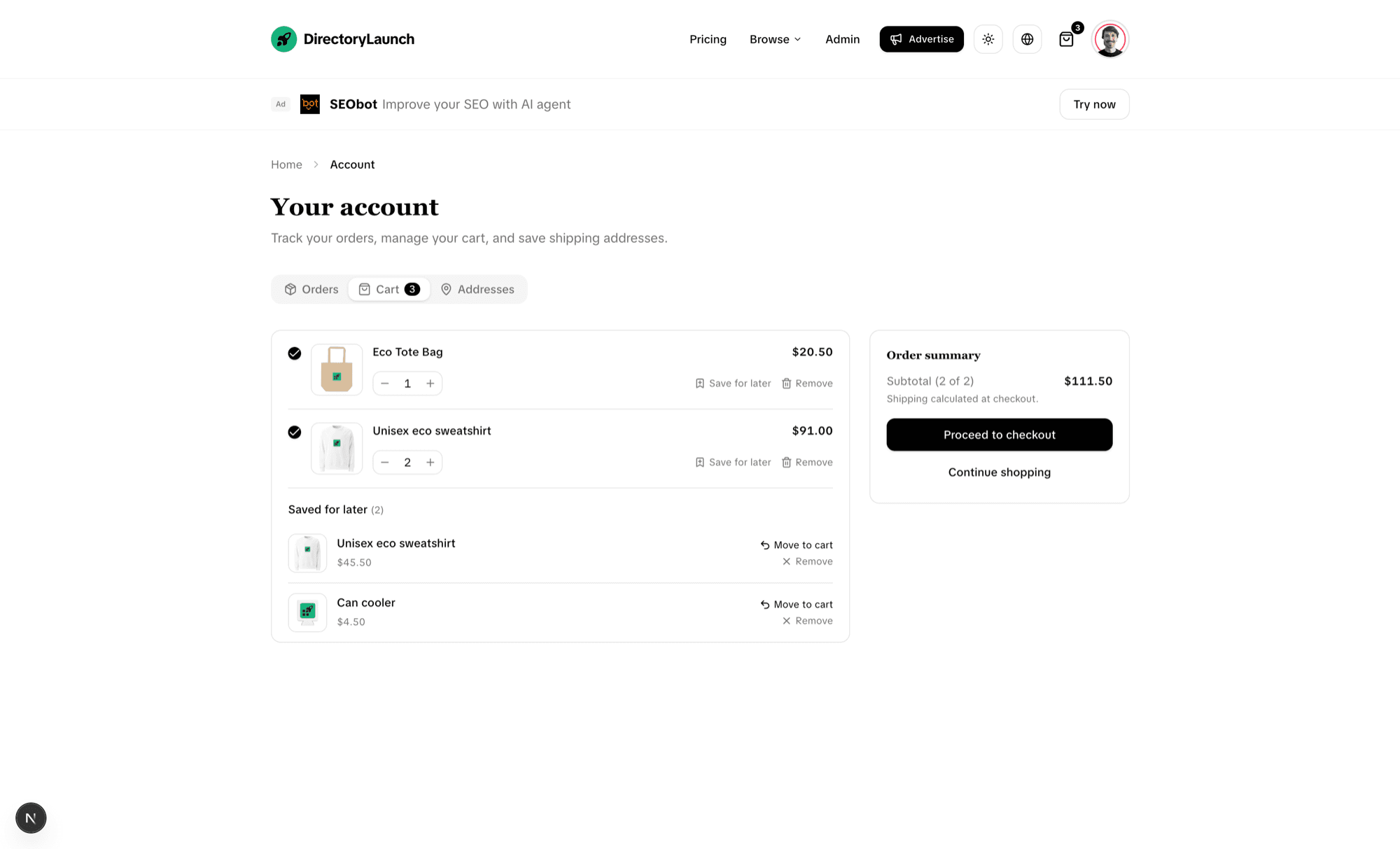
New account area with Orders, Cart and Addresses tabs — buyers can review past orders, edit their cart, and store shipping addresses for faster checkout.
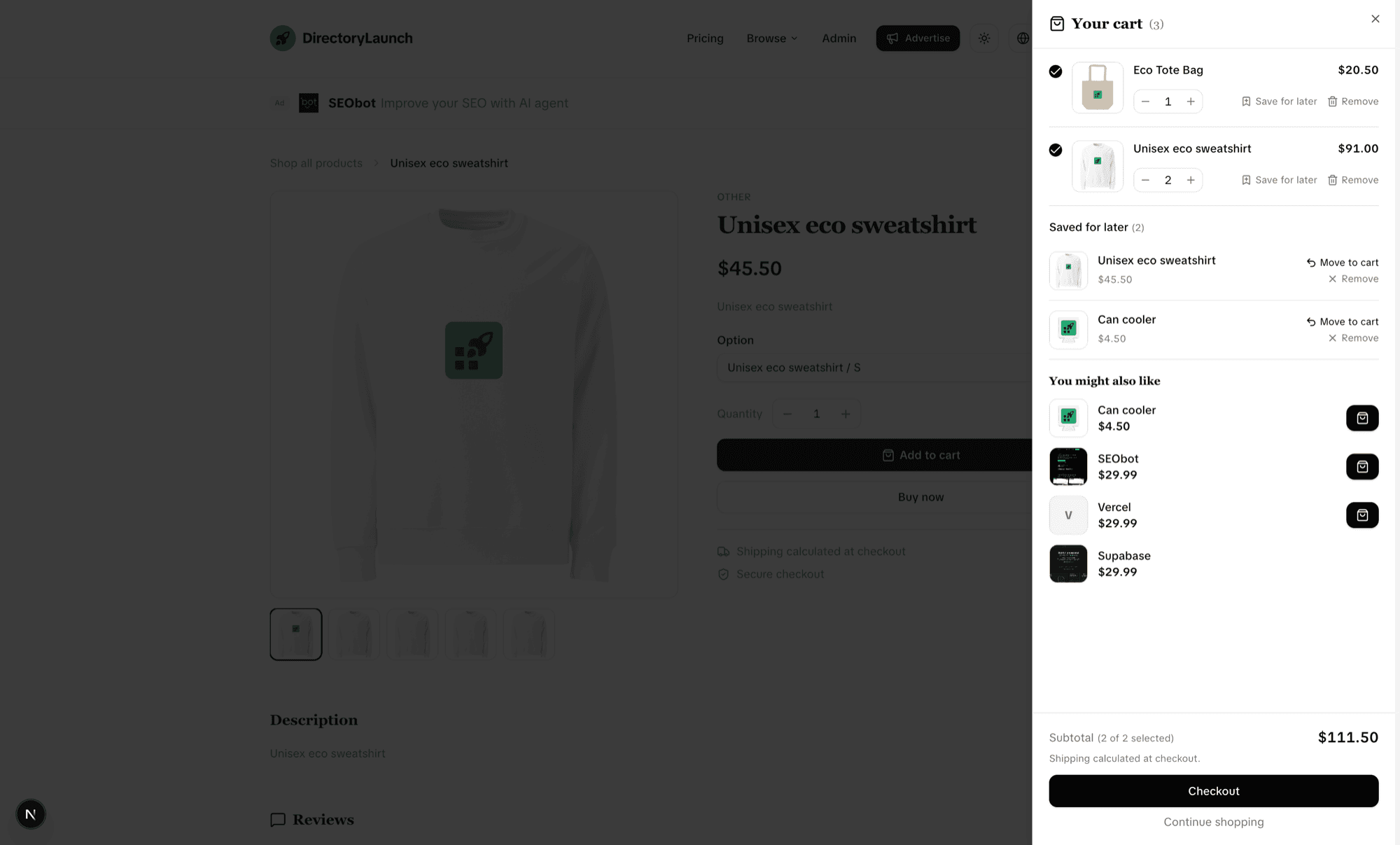
Save for later: move an item out of the active cart without deleting it, then push it back with Move to cart — line-item selection means the subtotal only counts what's actually selected for checkout.
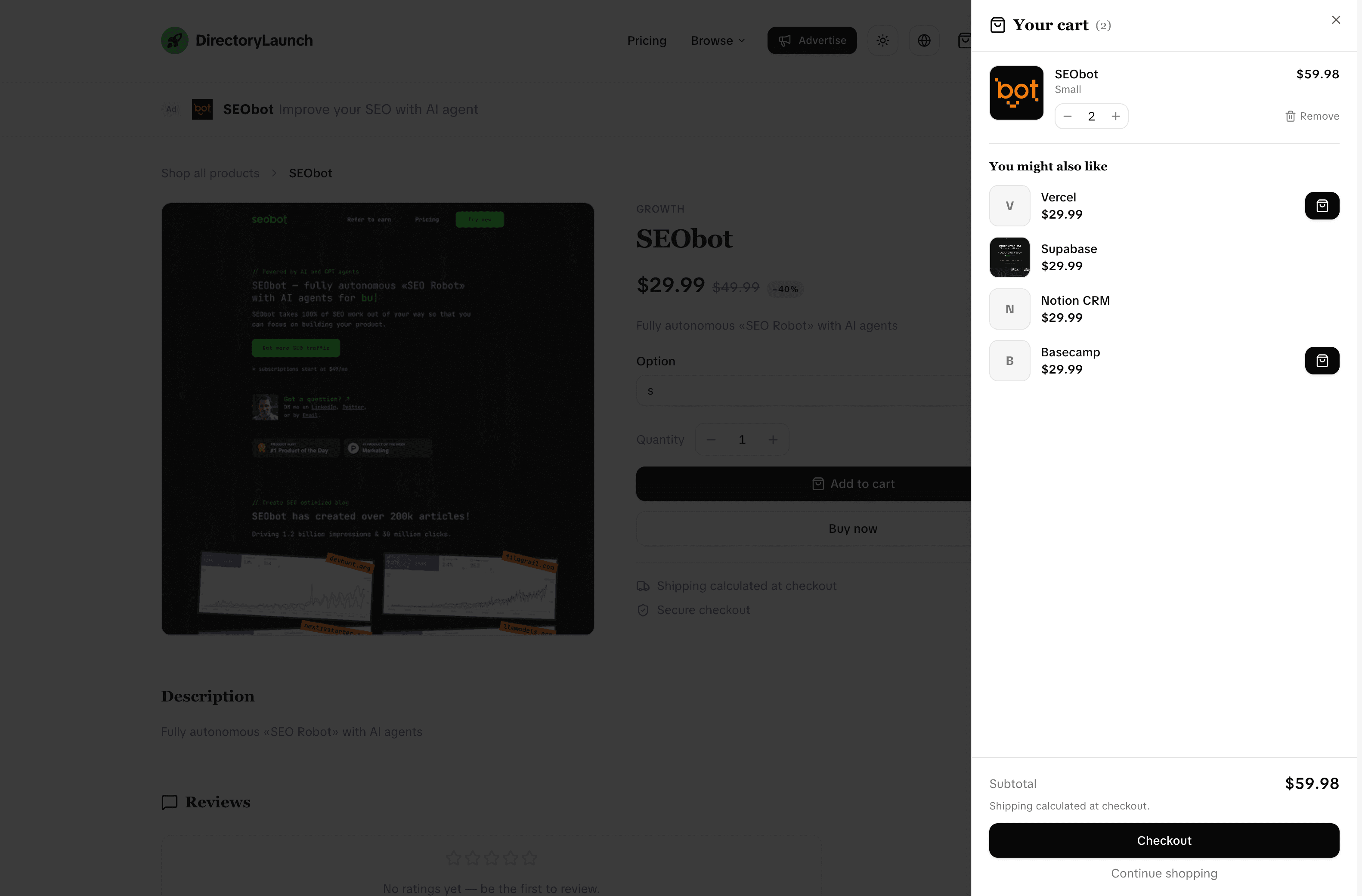
The You might also like recommendations now appear in both the cart drawer and the account cart, surfacing related products at the point of purchase.
Builds on the existing store cart — no schema changes; saved items and addresses persist per shopper.
Full-screen promo interstitial
New
A new full-screen promotion placement that greets visitors with a rich, dismissible modal — image, headline, benefit bullets and a call-to-action — on top of the existing banner and card ads.
Details
New interstitial placement alongside the top banner and catalog/detail cards — a centred modal with a cover image, headline, description, benefit bullets and a primary CTA.
Respects the visitor: it's dismissible (with a clear "No thanks" opt-out) and shown once per session rather than on every page view.
Wired through the same promotions system as the other placements, so the copy and CTA are editable in the admin and on the public /promote form.
Search-engine-friendly catalog & filters
Improved
The browse catalog now lives in the URL and renders on the server, so Google can crawl every page and category — not just the first one.
Details
Page number, category, pricing, sort and search now live in the URL and are server-rendered, so each state has a real, shareable, crawlable address.
Pagination renders proper <a href> links that Googlebot can follow, and every page sets its own canonical tag; out-of-range pages return a 404 instead of an empty list.
Category pages render all of their listings server-side and are self-canonical, while in-category sort and search still run instantly on the client.
The sitemap now emits a real /categories/{slug} URL for every category that has a live listing, instead of pointing everything back at the homepage.
Catalog queries are consolidated into a shared, cached data layer reused by the homepage, category pages and the projects API — no schema changes required.
Edit sponsor cards in the admin
Improved
Sponsor cards are editable now — the same in-place editing we added for promotions, applied to the sponsors panel.
Details
Each sponsor row gets an Edit button that prefills the form and saves changes in place — the sponsor dialog was previously create-only.
Wired straight to the existing sponsors API, so no backend or schema changes are needed.
Edit promotions & per-placement ad copy
Improved
Promotions are now editable from the admin, and you can write placement-specific ad text for the top banner and the catalog/detail cards.
Details
Promotions are editable now: each row gets an Edit button that prefills the form and saves changes in place — the admin form was previously create-only.
Two new optional copy fields — a short banner text (≤50 chars) and a longer catalog/detail text (≤100 chars) — let you tailor the message to where the ad runs.
The fields surface in both the admin and the public /promote form, revealed based on the selected placement, and are validated and saved through the promotion APIs.
Ads fall back to the listing's short description when a field is left empty, so existing promotions keep rendering unchanged.
Backed by new banner_text / catalog_detail_text columns; run migration 0004_add_promotion_placement_text.sql to enable it.
Run your directory as a marketplace
New
Flip one config value and the whole site becomes a single-owner store — product pages with a gallery and buy box, a persistent cart, and native Stripe checkout.
Details
New store format: set vertical: 'store' in platform.config.ts and turn on the store feature flag — the catalog, cards, detail pages and CTAs switch from "visit" to "buy".
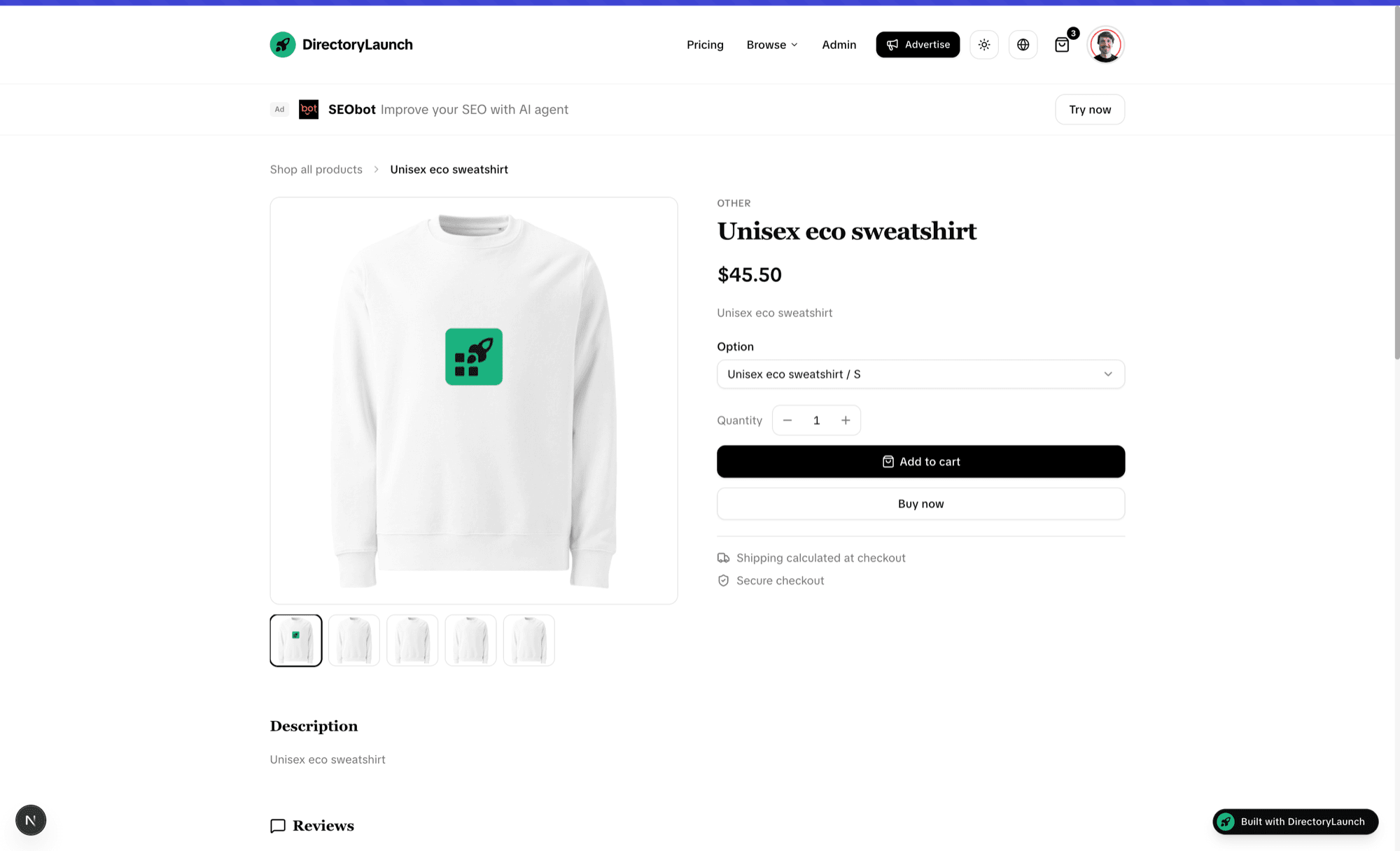
Image-forward product pages: a multi-image gallery next to a sticky buy box with price (and compare-at), rating, variant picker, quantity stepper, and Add to cart / Buy now.
A persistent cart drawer (saved in the browser) with quantity controls, remove, subtotal, and a You might also like block that surfaces related products.
A Commerce step in the submit & edit forms to set price, currency, inventory, product type and variants — money is entered in normal units and stored safely as minor units.
Native one-time Stripe Checkout: prices are validated server-side, every sale is recorded as an order, and stock is decremented atomically on payment.
A new admin Orders screen lists every sale with its status, total and line items.
Backed by new commerce columns on the items table plus orders / order_items; run migration 0002_add_store_commerce.sql to enable it.
Write blog posts right in the admin
New
A full blog editor lives in the admin panel now — compose posts with a rich-text editor, schedule them, and they appear on your /blog alongside the existing AI feed.
Details
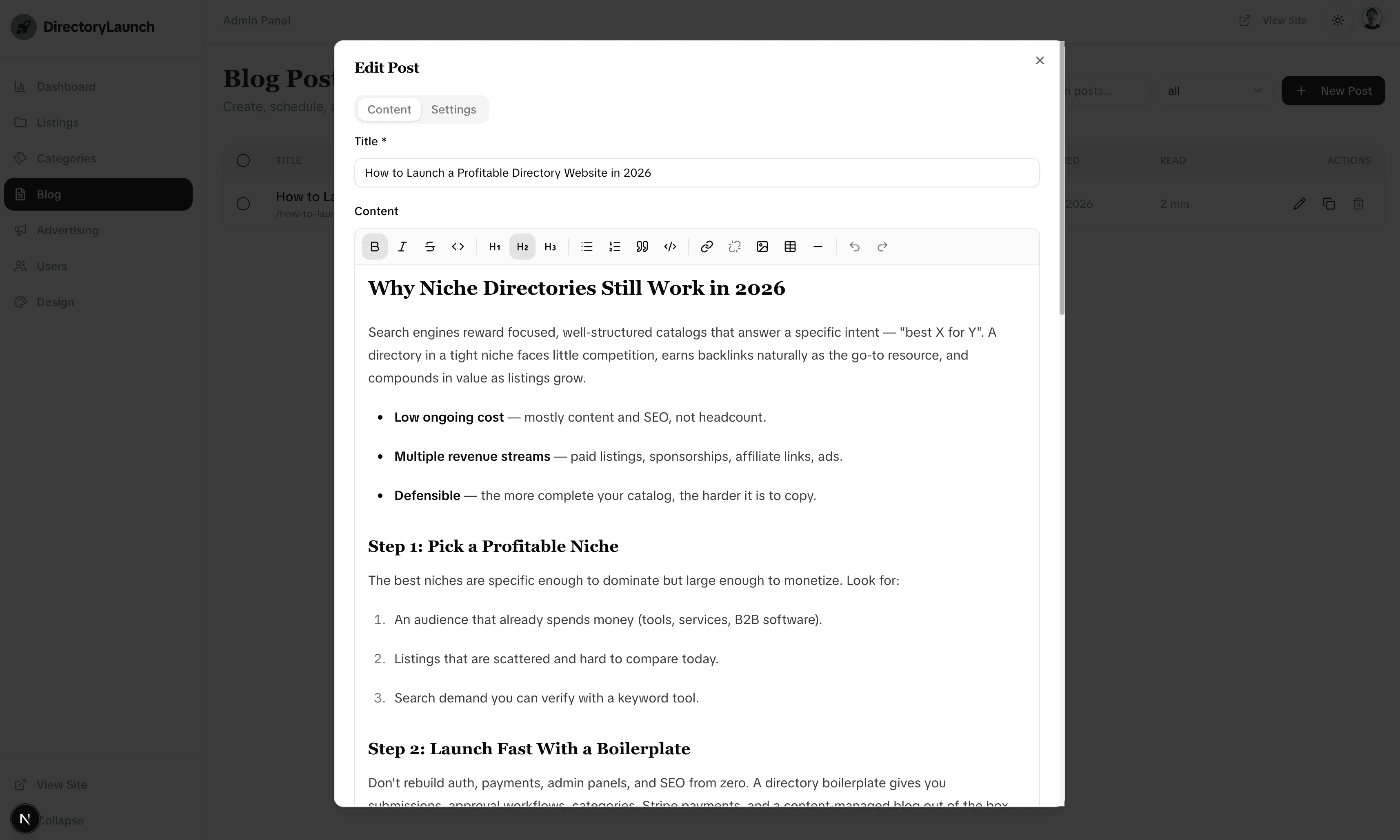
New Blog section in the admin: a searchable, filterable list of posts with row selection, bulk delete, and one-click duplicate.
A Tiptap-powered rich-text editor with a full toolbar — headings, bold/italic/strikethrough, lists, quotes, code blocks, links, tables, and inline image upload.
Edit dialog splits Content and Settings into tabs, with scheduling (draft, scheduled, published) and an optional featured image.
Hand-written posts merge with the existing SEObot feed on the public /blog — local posts win on slug conflicts — and read-time is calculated automatically.
Backed by a new blog_posts table with row-level security; run migration 0003_add_blog_posts.sql to enable it.
SEO for admin blog posts
Improved
Posts written in the admin are now fully crawlable — sitemap entries, rich-result structured data, and cached-but-fresh article pages.
Details
Every live post now appears in the sitemap at /blog/<slug>, with its featured image, using the same published/scheduled liveness gate as the public feed.
Article pages emit BlogPosting JSON-LD (headline, dates, author, image, publisher) so they're eligible for rich results in search.
Article pages moved from no-store to ISR (30-min revalidate), and the admin revalidates /blog and the affected post on create, update and delete — so changes go live immediately while crawlers still get a fast, cached page.
Put your listings on the map
New
Add a location to any item and let visitors explore your directory on an interactive map — or a fullscreen globe that lights up with the time of day.
Details
New Map view next to Grid, with clustered logo markers and a quick detail card per listing.
Fullscreen globe experience: filter rail, live search, and dawn → day → dusk → night lighting that follows each visitor's local time.
Submit & edit forms gain an optional Location section with address autocomplete that auto-fills city, country and coordinates (drag the pin to fine-tune).
Admins choose the default look — flat map or globe, automatic or fixed lighting — in Design → Map.
Fully optional: toggle it on in settings, add a Mapbox token, and you're live.
Free submissions with badge verification
New
Launch on the free plan by adding our badge to your site — verify the link and submit instantly.
Details
Add the "Featured on Directory Launch" badge to your homepage, then hit Verify.
We check for a dofollow link back to us and unlock the Submit button once it's confirmed.
App-wide design refresh
Improved
A cleaner, more polished look with smoother motion and better dark mode across the whole app.
Details
Redesigned the project page with a new ratings & reviews block and an improved screenshot gallery.
Refreshed the dashboard, profile, settings, and submission & advertising flows.
Polished the entire admin panel and fixed several dark-mode contrast issues.
Configurable card & page layouts
New
Decide exactly how your listings look — logo, cover image, both, or neither — across the catalog and project pages, all from a new Design panel.
Details
The admin Theme tab grew into a full Design panel — colors and typography now sit alongside layout controls.
Toggle the logo and cover image independently for catalog cards and the item page: text-only, logo-only, image-only, or the full treatment.
Turning the image on switches cards to a vertical, cover-on-top layout — the cover is pulled straight from the project's first screenshot, with a graceful fallback when none exists.
A live card preview in the panel reflects every toggle before you hit save, and changes apply across the site instantly.
The submission form now adapts to your choices — contributors are only asked to upload the media you actually use.
Refined theme editor
Improved
The color editor got a cleaner, more legible pass with smoother interactions.
Details
Redesigned color rows with proper swatches and aligned light/dark columns, replacing the cramped raw inputs.
Fixed the active-tab highlight that wasn't tracking after the Base UI migration.
The auto-submit banner is now fully configurable from the admin panel and renders cleanly in any theme.
What's changed?
No more empty gaps: Every banner block (title, description, learn-more link, CTA, dismiss) only renders when its admin field is filled — empty fields no longer leave blank spaces.
Strikethrough pricing: Add an optional original price (shown struck-through next to the CTA) and a savings note (e.g. "Save 20% — early adopter price") to highlight a discount.
Editable trigger button: The homepage button that opens the popup can now be renamed from the admin panel.
Fixed dark-mode popup: The popup now matches the site background color exactly, and its backdrop dims dark instead of washing out white in dark themes.
Smoother loading & admin navigation
Improved
Catalog and admin pages now load with skeleton placeholders, and moving around the admin panel feels instant and fluid.
What's changed?
Shape-stable skeletons: The homepage catalog, category pages, and every admin section now render placeholders that match the real cards and rows — no more blank screens or generic grey blocks while data loads.
Sliding active indicator: Clicking a sidebar item smoothly glides the highlight from the old item to the new one, instead of snapping.
Instant page titles: The new section's heading and its action buttons appear the moment you click — before the content finishes loading — so navigation never feels stalled.
Consistent everywhere: Listings, Categories, Users, Sponsors, Promotions, and the Dashboard all share the same polished loading state.
Respects reduced motion: All animations automatically turn off when the OS "reduce motion" setting is enabled.
Rebuilt the UI on Base UI
Improved
We migrated every interface primitive from Radix UI to Base UI — the successor library from the original Radix, Floating UI, and Material UI authors — for a more modern, composable, and accessible foundation.
What's changed?
All 17 interactive primitives (Dialog, Select, Dropdown Menu, Popover, Tooltip, Alert Dialog, Sheet, Tabs, Checkbox, Switch, Collapsible, Scroll Area, and more) now run on Base UI under the hood.
The component API stayed the same, so nothing changed in how pages are built — the upgrade is entirely internal.
Polymorphic composition (rendering a button as a link, etc.) now uses Base UI's render mechanism instead of the old asChild slot.
Removed all legacy Radix dependencies, trimming the bundle and consolidating on a single, actively maintained primitive library.
Accessibility (focus management, keyboard navigation, ARIA) follows Base UI's WAI-ARIA patterns across every overlay and form control.
Microanimations across the interface
New
We added subtle, tasteful motion throughout the product using Motion — small touches that make the UI feel more responsive without getting in the way.
What's new?
Dialogs, popovers, menus, selects, and tooltips now animate in and out with smooth, interruptible transitions.
Checkboxes pop on toggle, switches glide, and tabs slide their active highlight between options.
Cards lift gently on hover, and directory grids fade in with a staggered entrance.
Buttons have a light press feedback for a more tactile feel.
Every animation respects the system "reduce motion" setting, so it stays accessible for everyone.
Fixes and polish
Fixed
A handful of fixes that came out of the Base UI upgrade.
What's fixed?
Header blur no longer flickers: opening a dropdown previously reset the page scroll state, which briefly removed the sticky header's background blur and let content show through. The header now keeps its state while a menu is open.
Filter and analytics dropdowns open downward: selects now consistently drop down from their input instead of overlaying the trigger, matching expected behavior in both the directory filters and the admin dashboard.
General consistency pass on overlay positioning and animation timing across the app.
Supabase setup & project conventions
Improved
A hardened Supabase connection and a full set of conventions that keep contributors — and AI assistants — on the rails.
Supabase connection: Centralized environment handling in a single lib/supabase/env.ts and refactored the client so every API route validates configuration the same way — a fresh clone fails loudly on missing keys instead of breaking silently.
Project guardrails: Added a pre-commit hook (lint-staged), /verify and /check-console commands, Cursor rules for API routes, components and the Supabase layer, Copilot and Claude instructions, and an AGENTS.md architecture overview — so AI assistants follow the codebase's conventions when you customize it.
Ratings & reviews
New
The comment system on listings grew into full reviews, with a reworked screenshot uploader.
Reviews & comments: Expanded the comment system on project detail pages into richer reviews, with reworked comment API handling.
Screenshot uploader: Overhauled the screenshot upload component used across submission and admin forms.
Promotions hardening & fixes
Fixed
Sold-out states, discount coupons, and upload rate limiting make the paid-promotion flow production-ready — plus a round of smaller fixes.
Reliability work on monetization and the admin area, with several smaller fixes folded in.
What's changed?
Sold-out placements: The promotions API checks placement availability and the UI reflects sold-out slots, so a placement can't be oversold.
Discount coupons: Added coupon configuration for promotion checkout.
Upload rate limiting: Tightened rate limits on uploads to guard against abuse.
Live theme editor: Theme changes broadcast via a CustomEvent, so edits apply across the app instantly.
Fixes & polish: Hardened the payment webhook and auth-callback routes, clearer admin API error handling, and a new DirectoryLaunch badge with logo and preview assets.
Live demo mode
New
Ship a public, read-only demo of your directory — authentication is bypassed and a demo banner adapts the layout.
Demo mode: A configurable demo mode bypasses authentication and admin checks so anyone can explore the app safely.
Demo banner: The admin header and sidebar adjust their positioning to a dynamic banner height via CSS variables.
Collapsed logo: The logo supports an icon-only mode for the collapsed sidebar.
Admin dashboard analytics
Improved
The admin dashboard gained revenue and visits charts with period-over-period comparison and a time-range selector.
Charts: Revenue and visits charts now include a previous-period comparison.
Time range: Replaced tabs with a select for choosing the reporting window.
Layout: Minimum chart heights and improved spacing for a cleaner dashboard.
Social proof, ads & AutoSubmit
Improved
Social-proof avatars, ad banners with sensible fallbacks, and a centralized AutoSubmit configuration.
Marketing and growth surfaces got more robust, with graceful fallbacks when there's no real data yet.
Social proof: Admin-selectable avatars with automatic fallback avatars when no real users exist yet.
Ad banner: Reworked the ad banner and social-proof styling with configurable ad text, link, and icon.
AutoSubmit: Refactored the AutoSubmit feature onto a centralized, typed configuration.
SEO & docs: The sitemap now uses screenshots for image data; README and quick-start docs improved.
AI-powered submissions
New
Generate listing descriptions and category suggestions with AI, and prep CSV imports with an LLM helper.
AI descriptions: One-click AI-generated descriptions during project submission.
Category suggestions: AI suggests the most relevant categories for a listing.
CSV prep helper: A built-in LLM prompt helps you shape data for the CSV importer.
Provider config: New environment settings to plug in your AI provider, plus i18n locale detection in middleware.
Paid promotions & ads
New
Monetize your directory with paid promotions, pricing plans, and ad placements out of the box.
Paid promotions: Pricing plans and ad placements with promotion subscriptions.
CSV import: Bulk-import listings straight from the admin panel.
Sponsor emails: Email templates updated to include sponsor information.
Categories, spheres & auto-logos
Improved
Group categories into spheres with drag-and-drop, and fetch listing logos automatically by domain.
Spheres: Organize categories into spheres, managed in the admin with cross-sphere drag-and-drop.
Auto logos: Logo.dev integration fetches listing logos by domain, with graceful placeholders.
Theme-aware logo: Simplified logo rendering with an SVG and better accessibility.